IEDK CLI
If developers want to use existing IEDK services or want to write their own custom services from existing proto files, this tool has been developed to test the operability of the services and the methods of these services.
Download and Install Dependencies
For this tool to work properly, existing IEDK services, or IEDK services that developers have created with the existing proto files, and the mock service must be installed. Therefore, the following steps should be checked.
Download and install current IEDK services
or
Proto files for implementing custom IEDK services
If a real structure is not used and the development environment is not wanted to be onboarded, a mock server can be installed.
Download and install Mock Industrial Edge Runtime service
or
Install the Industrial Edge packages to the Edge Device
Download and Install IEDK CLI
Download the *.deb package for setting up the IEDK CLI from IE Hub.
China Region
For users in China region please download from IE Hub China.
After the .deb package is downloaded, go to the directory in which the.deb package was downloaded and run the following command to install the *.deb package:
apt install ./iedk-cli_*_linux_amd64.deb
After the *.deb package has been successfully installed, the corresponding binaries can be accessed from the desired directory in the development environment. These binaries are iedkstatus and iedkcli.
Usage of iedkstatus
This script runs with some parameters. These parameters are accessed with the following command:
iedkstatus --help
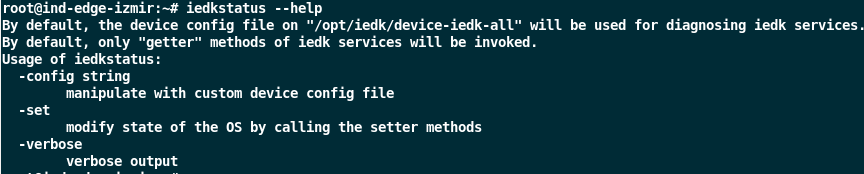
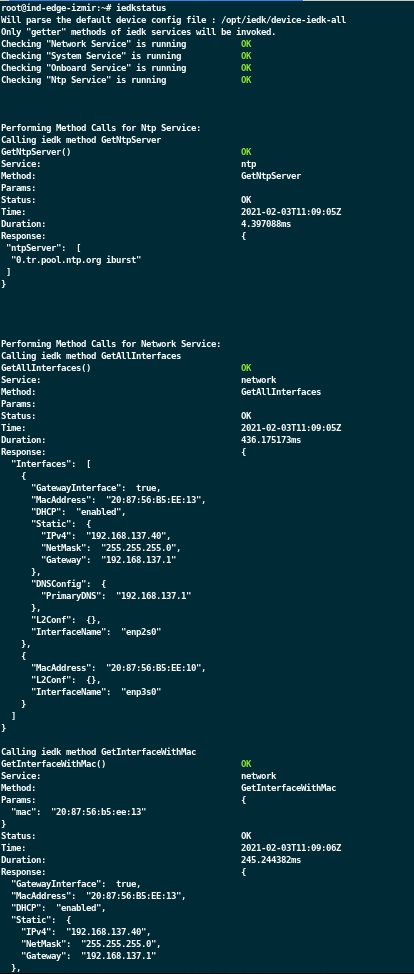
If this script is run without parameters, it will provide information about services and their GET methods.
iedkstatus
A configuration file is needed to call this script with the --set parameter. This configuration file is the file used for onboarding an Edge Device. While installing the *.deb package, sample configuration files are placed in the Edge Device. These sample configurations are in the following path:
/opt/iedk/

The following command can be used to use other configuration files on the path or to use specific prepared configuration files:
iedkstatus --set --config /opt/iedk/device-iedk-ntp
NOTICE
To successfully use the set methods of the iedkstatus, the configuration files should be updated with the properties of your own Edge Device, for example MacAddress
After the configuration file is updated, the following command is run:
iedkstatus --set
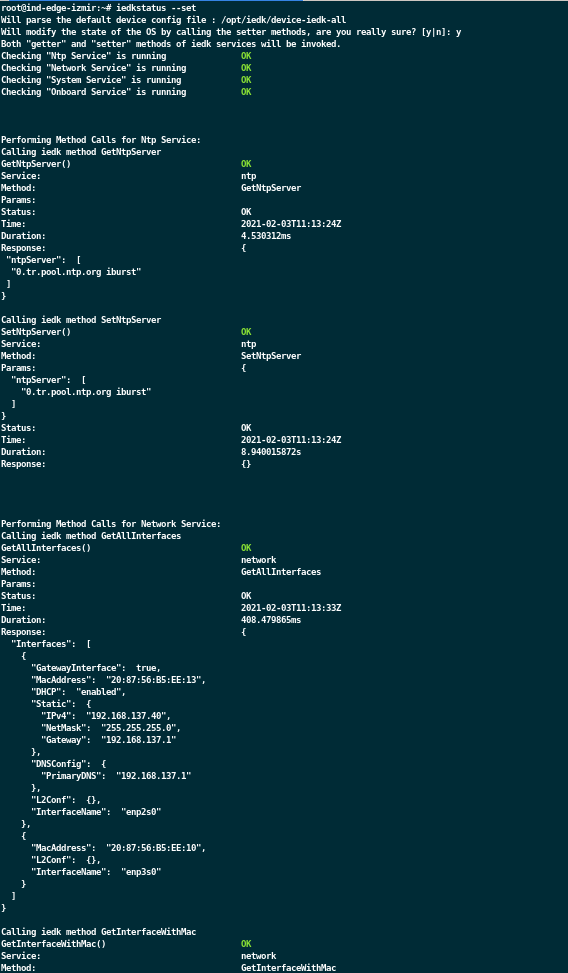
When iedkstatus --set command is called, the configuration file device-iedk-all will be used by default.
After this command is run, it will give an output as follows:
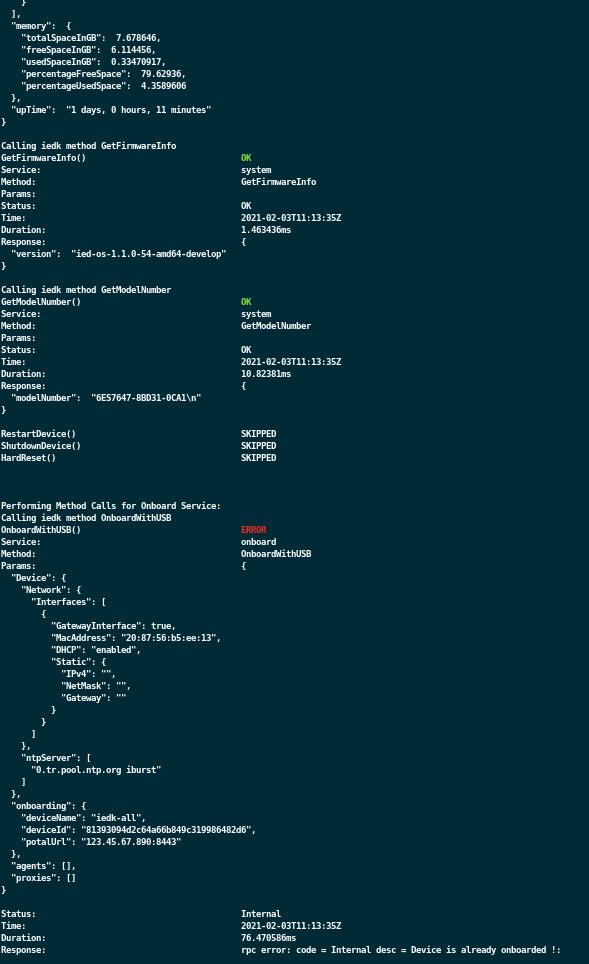
In case of any errors in the services or in the methods of these services, there will be an output as follows:
After iedkstatus runs, it generates a log file about its operations. This log file can be accessed from the following directory:
cat /var/log/devicekit_report.log
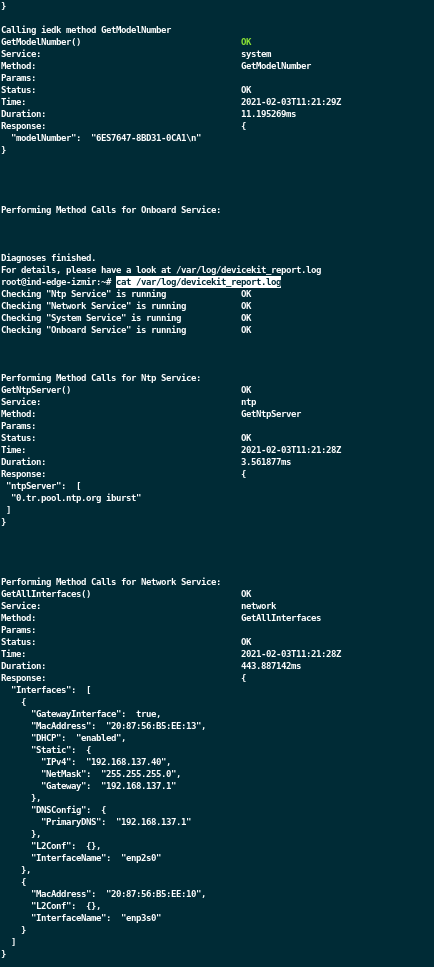
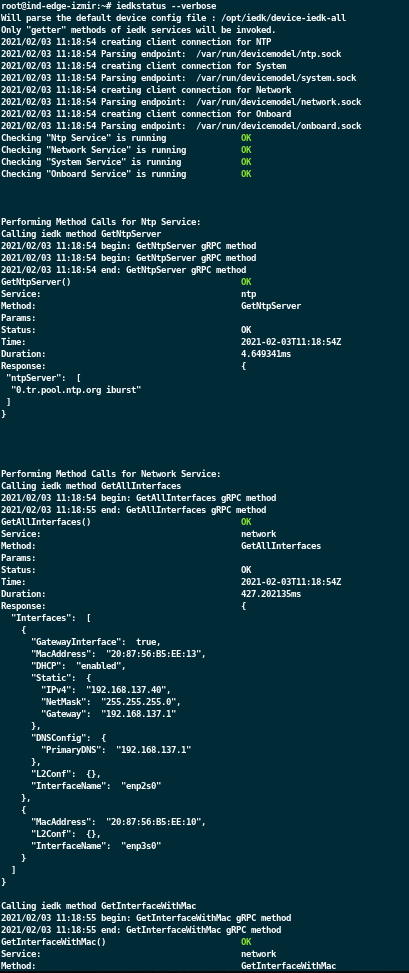
Additionally, with the --verbose parameter, more information is obtained while the tool is running.
Usage of iedkcli
This script calls the methods of the IEDK services in the Edge Device via a command line interface and can set these methods with several parameters.
The following command can be used to access detailed logs and more options:
iedkcli --help
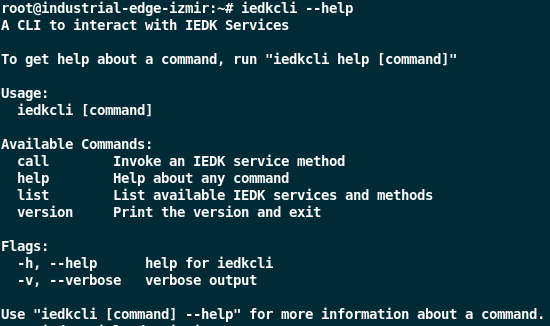
First, IEDK services and their methods can be accessed with the following command:
iedkcli list
An output is taken as in the figure below:

Service names and methods of those services are obtained with this command. Then, the services are called with the following commands:
NOTICE
The way to provide parameters can be determined by examining the proto files. It is stated in the proto files that it should be sent as a proto message. In the iedkcli script, these values must be passed as JSON string.
NOTICE
--param is optional. With Getter methods of the services, its usage is redundant.
iedkcli call --service "ntp" --method "GetNtpServer" --param ""

# or it can be used as follows.

iedkcli call --service "ntp" --method "GetNtpServer"
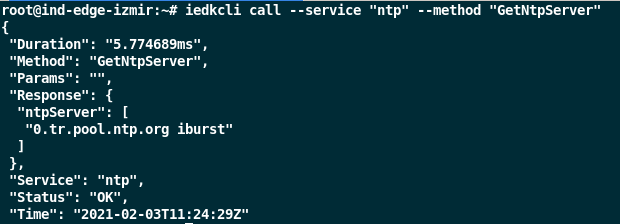
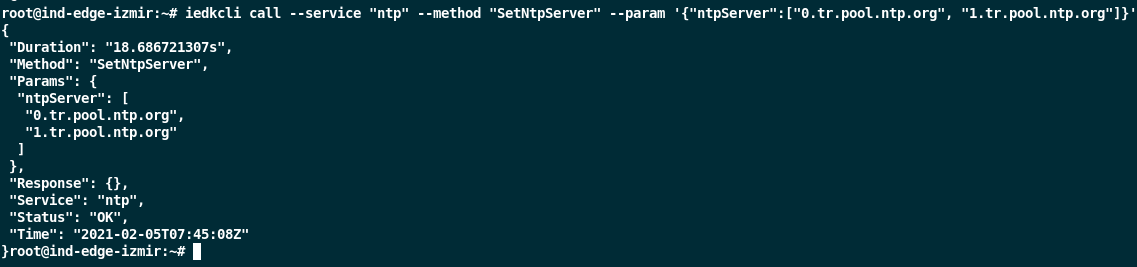
iedkcli call --service "ntp" --method "SetNtpServer" --param '{"ntpServer":["0.tr.pool.ntp.org", "1.tr.pool.ntp.org"]}'
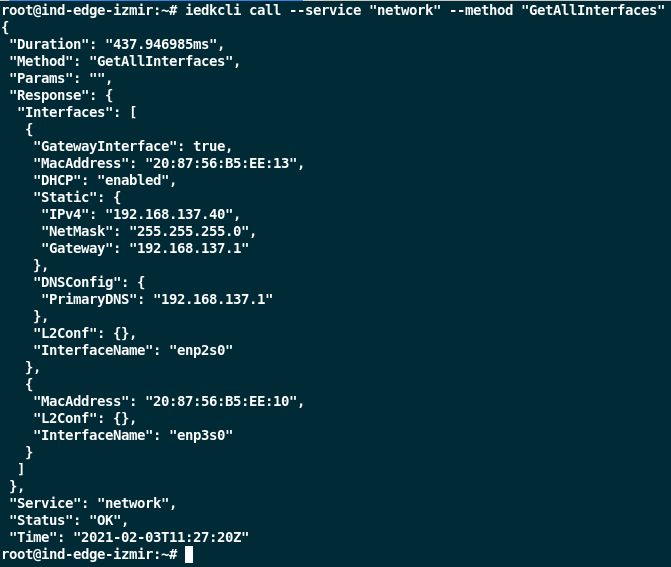
iedkcli call --service "network" --method "GetAllInterfaces" --param ""

# or it can be used as follows.

iedkcli call --service "network" --method "GetAllInterfaces"
NOTICE
The same format is used for the methods of other services.
Example Usage
iedkcli call --service "ntp" --method "GetNtpServer"
iedkcli call --service "ntp" --method "SetNtpServer" --param '{"ntpServer":["0.tr.pool.ntp.org","1.tr.pool.ntp.org"]}'

iedkcli call --service "network" --method "GetAllInterfaces"
iedkcli call --service "network" --method "GetInterfaceWithMac" --param '{"mac":"20:87:56:b5:ee:13"}'
iedkcli call --service "network" --method "ApplySettings" --param '{"Interfaces":[{"GatewayInterface":true,"MacAddress":"20:87:56:b5:ee:13","DHCP":"enabled", "Static":{"IPv4":"","NetMask":"","Gateway":""}}]}'

iedkcli call --service "system" --method "GetFirmwareInfo"
iedkcli call --service "system" --method "GetDeviceInfo"
iedkcli call --service "system" --method "GetLimits"
iedkcli call --service "system" --method "GetModelNumber"
iedkcli call --service "system" --method "GetResourceStats"
iedkcli call --service "system" --method "HardReset"
iedkcli call --service "system" --method "RestartDevice"
iedkcli call --service "system" --method "ShutdownDevice"
iedkcli call --service "system" --method "UpdateHostname" --param '{"name": "trstkrs52d5"}'
iedkcli call --service "system" --method "GetHostname"

iedkcli call --service "onboard" --method "ApplyConfiguration" --verbose --param '{"Device":{"Network":{"Interfaces":[{"GatewayInterface":true,"MacAddress":"20:87:56:b5:ee:13","DHCP":"enabled","Static":{"IPv4":"","NetMask":"","Gateway":""}}]},"ntpServer":["0.tr.pool.ntp.org iburst"]},"onboarding":{"deviceName":"iedk","deviceId":"81393094d2c64a66b849c319986482d6","potalUrl":"127.0.0.1:80"},"agents":[],"proxies":[]}'
iedkcli call --service "onboard" --method "OnboardWithUSB" --verbose --param '{"Device":{"Network":{"Interfaces":[{"GatewayInterface":true,"MacAddress":"20:87:56:b5:ee:13","DHCP":"disabled","Static":{"IPv4":"192.168.137.5","NetMask":"255.255.255.0","Gateway":"192.168.137.1"}}]},"ntpServer":["0.tr.pool.ntp.org iburst"]},"onboarding":{"deviceName":"iedk","deviceId":"81393094d2c64a66b849c319986482d6","potalUrl":"123.45.67.890:8443"},"agents":[],"proxies":[]}'

iedkcli call --service "onboard" --method "SetOnboardingStatus" --param '{"isOnboarded":true,"message":""}'

iedkcli call --service "sysproxy" --method "GetConfig"
iedkcli call --service "sysproxy" --method "SetConfig" --param '{"proxyAddress":"165.218.201.81:3128","auth":{"userName":"squid","password":"12345678"},"noProxyAddresses":["localhost","127.0.0.1","172.16.0.0/12","10.0.0.0/8","192.168.0.0/16"],"httpCustomPorts":[80],"httpsCustomPorts":[2020,443]}'
iedkcli call --service "sysproxy" --method "RemoveConfig"
If network interfaces have been configured by label instead of MAC address, GetInterfaceWithLabel method can also be called:
iedkcli call --service "network" --method "GetInterfaceWithLabel" --param '{"label":"X1"}'
Funding Acknowledgment: Funded by the Federal Ministry for Economic Affairs and Energy based on a decision by the German Bundestag | Your funding provider: Kicks for Edge as part of the EU funding program IPCEI-CIS (FKZ:13IPC008)