Adding Artifacts & Compatible Versions
- In the firmware versions list, click Edit of the version for which you want to add artifacts and compatible versions.
In this example, firmware version 1.0.1 was chosen that was previously created. - Under artifacts, select the respective files (binaries) of your firmware version.
The files must not exceed 5GB. After selecting the files, the files are being added to the upload list. - Click Upload.
The files are being uploaded and the upload progress of each file is displayed.
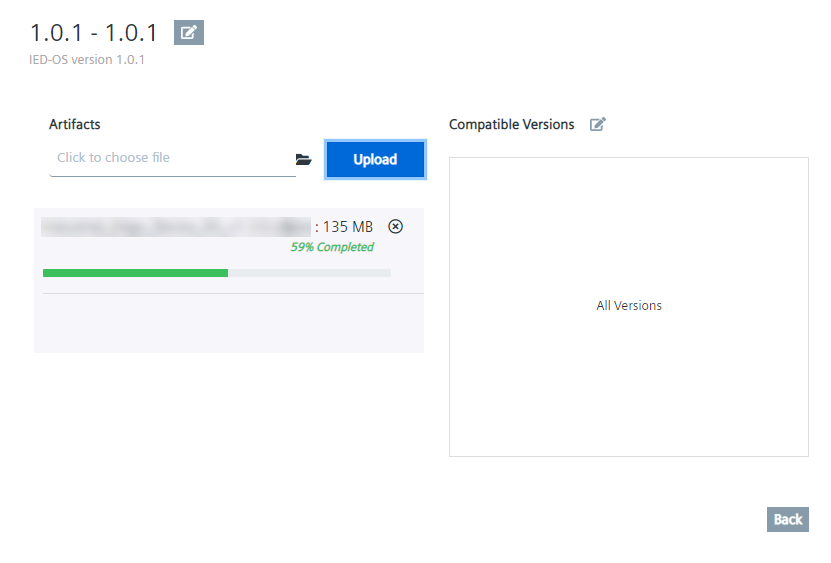
- Wait until the upload progresses are finished.
- If you want to add compatible versions with this firmware version, click the edit icon next to the Compatible Versions string.
The Update Compatible Versions screen is displayed.
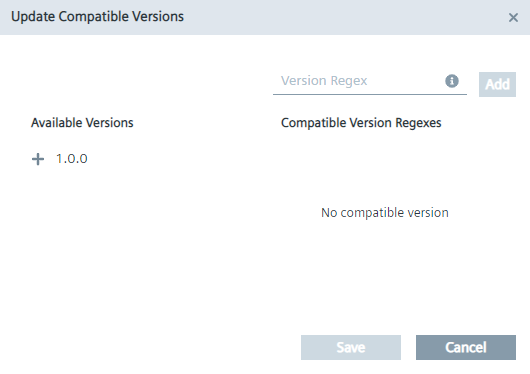
- Select respectively add the versions that you want to be compatible with this version.
On the left, you can add already created and available versions of that Device Type and that firmware product by clicking the plus icon.
On the right, you can manually add additional versions by entering the versions in the Version Regex input field and clicking Add.
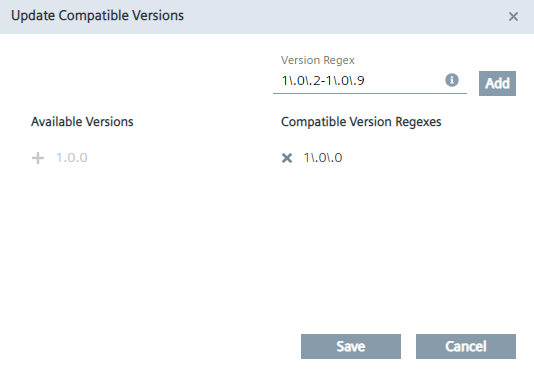
If you want to cover more than 1 version, you can use this free format regex to cover several firmware versions, for example versions from 1.0.2 to 1.0.9. It is only possible to add compatible versions of the same Device Type, adding releases from other Device Types is not possible. - To finally add the compatible versions to this firmware version, click Save.
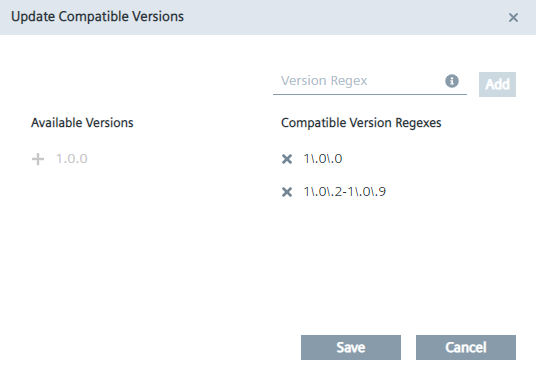
The selected versions are now compatible with this firmware version, which means you can update your Edge Devices of that Device Type and with this firmware version from all selected compatible versions.
By clicking Back, you open again the firmware versions list.
Funding Acknowledgment: Funded by the Federal Ministry for Economic Affairs and Energy based on a decision by the German Bundestag | Your funding provider: Kicks for Edge as part of the EU funding program IPCEI-CIS (FKZ:13IPC008)