End-of-life of an app version
To deprecate an application version, you can set its status to "End-of-life" from the 'Product management' page. This action is only available for publicly released versions. Setting a version to "End-of-life" prevents it from being copied to Industrial Edge Management within the Library, and its status will be clearly indicated with a pill.
NOTICE
If the version has already been copied to an Industrial Edge Management instance, the 'End-of-Life' status change will not prevent its continued use within that instance.
Requirements
Before setting a version to "End-of-Life", please ensure the following:
- Backward compatibility of the application is maintained.
- Customers are notified about the version deprecation.
Procedure
-
Click the drop-down list under the "Status" column and select "End-of-life".
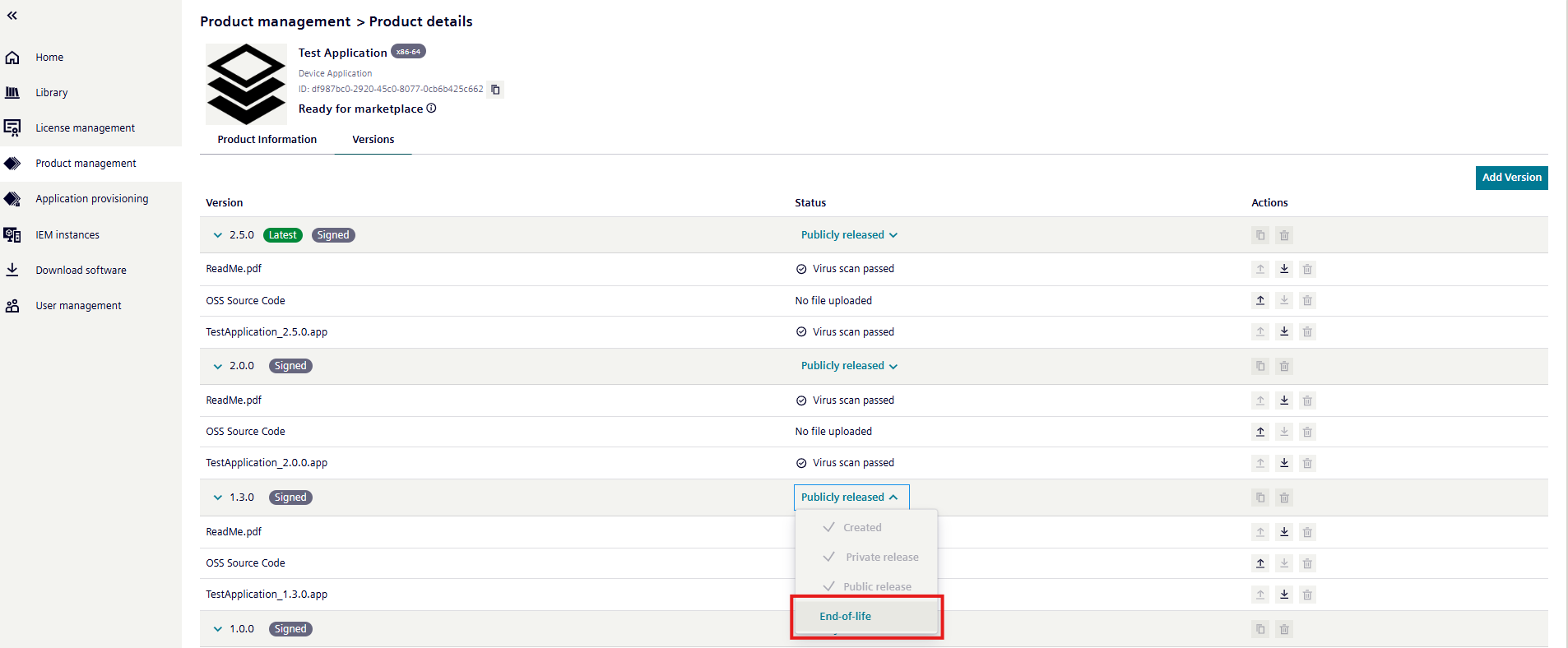
-
A warning message is displayed.
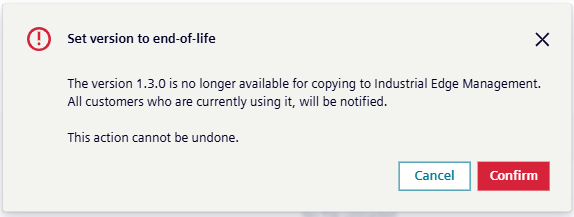
-
Once you confirm, customers who are using the application will be notified via e-mail.