User Consent and System Usage Warning
Overview
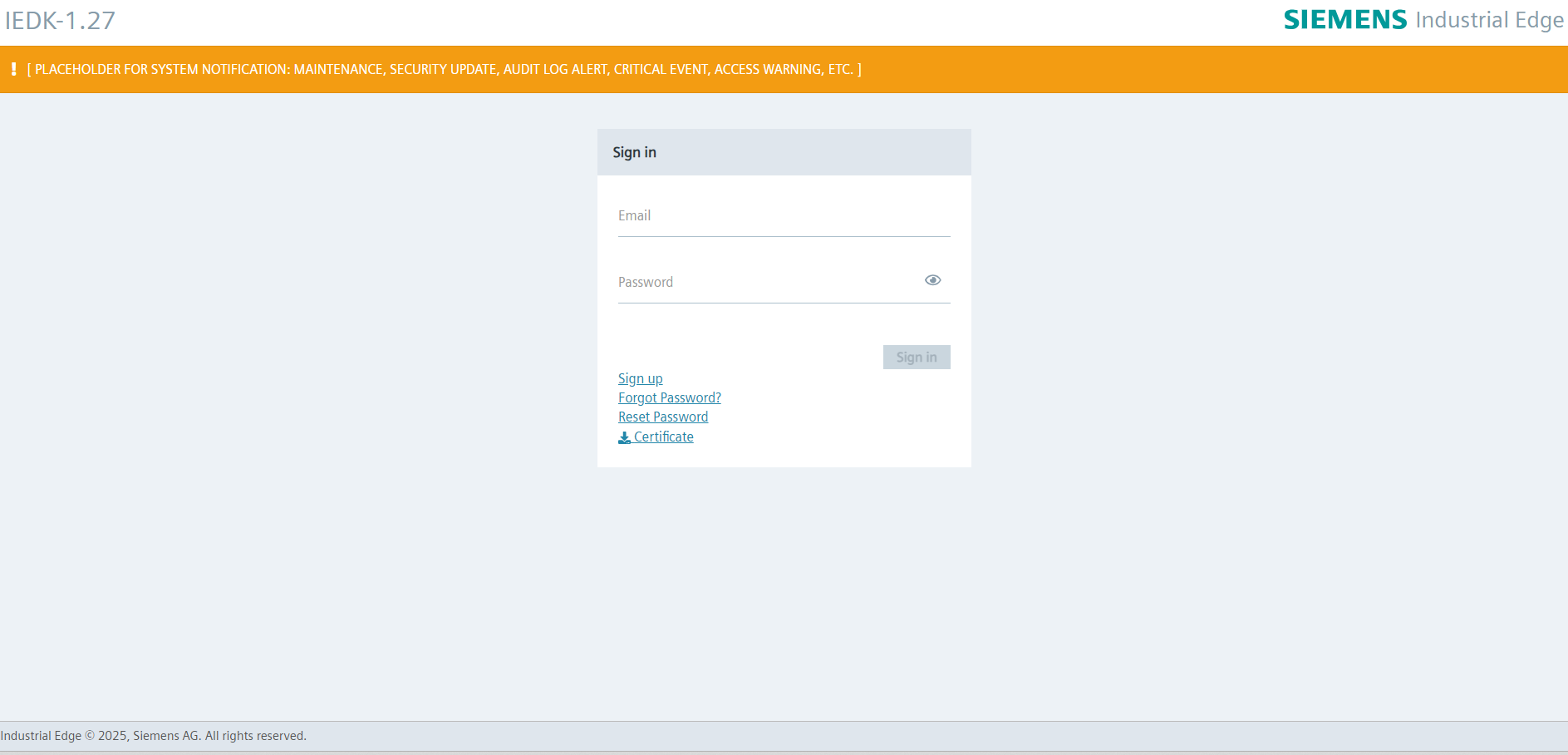
This document outlines the implementation and purpose of a warning banner displayed prominently on device's login screen. this banner serves as a continuous disclaimer to inform individuals of the terms and conditions associated with accessing and using the system. Admins have the ability to add, modify, or disable these notifications as needed to maintain transparency and reinforce secure usage practices.
Purpose
The banner is designed to:
- Ensure users are aware of ownership and monitoring policies.
- Reinforce compliance with legal and organizational standards.
- Serve as a visible, persistent reminder of acceptable use policies.
Design Guidelines
- Maximum length of 300 characters.
- Allowed few special characters in warnings.
Requirements
An Edge Device must be successfully onboarded.
Procedure
-
Open the Edge Device UI by entering the IP address of the Edge Device in the HTTPS protocol into an Internet browser.
-
Accept the privacy warning and proceed to the "Sign in" screen.
-
If a System Use Notification has been configured by the Admin, it will be displayed on this screen.
Message Content
The banner must clearly communicate the following points:
Ownership Notice
You are accessing a system owned and operated by the asset owner.
Monitoring and Audit Disclaimer
System usage may be monitored, recorded, and subject to audit.
Unauthorized Use Warning
Unauthorized use is strictly prohibited and may result in criminal and/or civil penalties.
Consent to Monitoring
By using this system, you consent to monitoring and recording.
NOTICE
System Use Notifications
When the Admin configures and enables a notification via API, it will automatically appear on the Edge Device login screen. If the notification is not configured or is configured but not enabled, it will not be displayed.
More information can be found in the API specs for system-use-notifications