Docker network settings
When you click the "Docker Network" tile, you can edit the IP range of the docker0 interface of the Edge Device, if necessary. You can just edit the IP range in a given range to prevent errors in the system. After you edit the IP range of the docker0 interface, click "Configure" to save the changes.
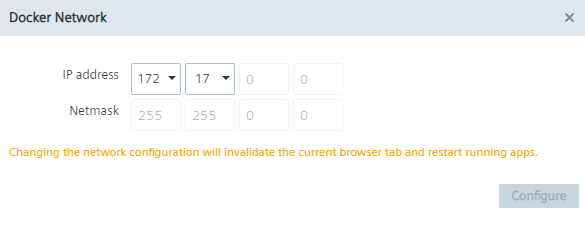
You find more information regarding the docker0 interface in the "Configuring the Docker network" subsection in the "Industrial Edge Management - Operation" manual.
The docker network IP range cannot overlap with any custom route destination networks or their gateways. If any intersection is detected, the system will not allow you to save the changes and will display an error message.