Adding an NTP server
A flawless operation of the Industrial Edge Management and Edge Devices require time synchronization of the Industrial Edge Management and Edge Devices. To properly synchronize the time on the Industrial Edge Management and Edge Devices, an NTP server is recommended.
If you already have added an NTP server during the configuration of the Industrial Edge Management OS and use the same NTP server for your Edge Devices, you can skip this procedure.
Procedure
-
Click the
Systemtab.
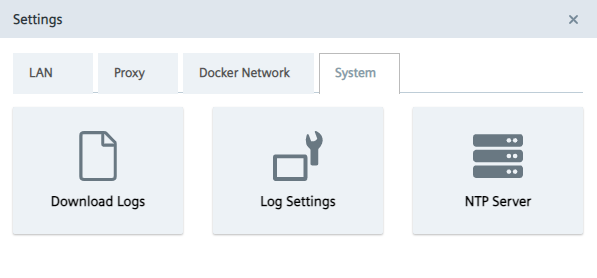
-
Click the
NTP Servertile.
TheNTP Serverscreen is displayed.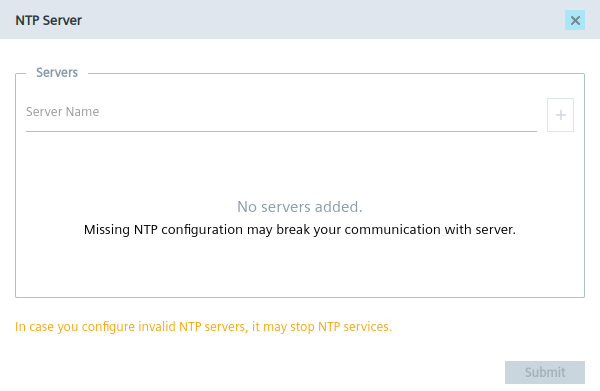
-
If you have not added minimum 1 NTP server or you want to add more NTP servers, enter the NTP server in the
Server Nameinput field. -
To add the NTP server, click the plus icon.
The NTP server is added to the server list. You can add several NTP servers. In case that 1 of them is unavailable, the next NTP server from the list will get active. -
Click
Submit.