Storage Overview
The Storage Overview page provides users with a clear summary of storage usage across different services on the Industrial Edge Management (IEM) system. It helps users track how much storage is consumed on IEM. This page can be open by navigating to the Settings page and selecting Storage.
Info
This overview page is also available in IEM Cloud starting from version 2.1.0. Since firmware files are fully managed in the cloud, the firmware artifacts tile is intentionally excluded in IEM Cloud.
From this overview page, users can:
- Quickly assess storage consumption per service
- Navigate to related management pages to perform cleanup, deletions, or adjustments
- Use the chart to visually compare storage proportions and total consumption trends
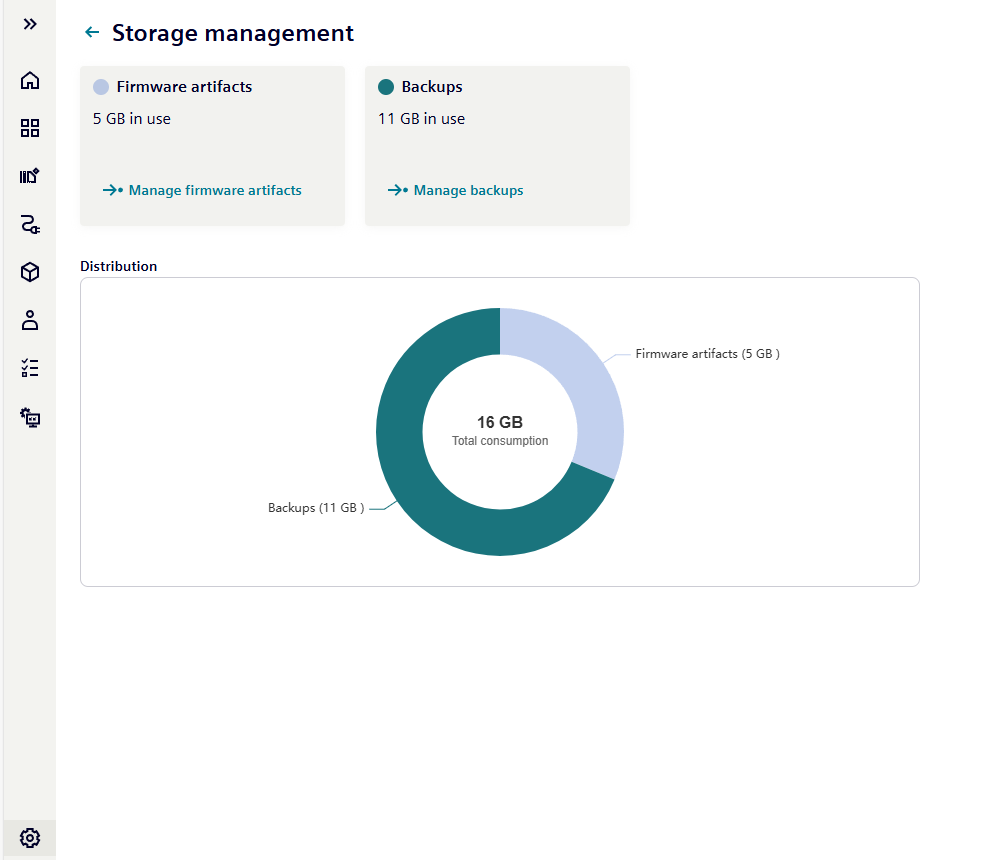
Total storage consumption and its distribution across services are visualized in the chart. Device Applications, Backups and Firmware artifacts tiles can be found in the Storage Overview. Each service tile provides:
- Service Name: Clear identification of the storage item
- Current Usage: Storage consumption (e.g., "50 GB in use")
- Action Button: Direct link to related management page
Managing Storage
- The Manage device applications link navigates to the Device Applications page.
- The Manage backups link navigates to the Device Backups page.
- The Manage firmware artifact link navigates to the Firmware Artifact Storage Management page.