Destination Examples
Syslog example
For the syslog filed description please visit Syslog
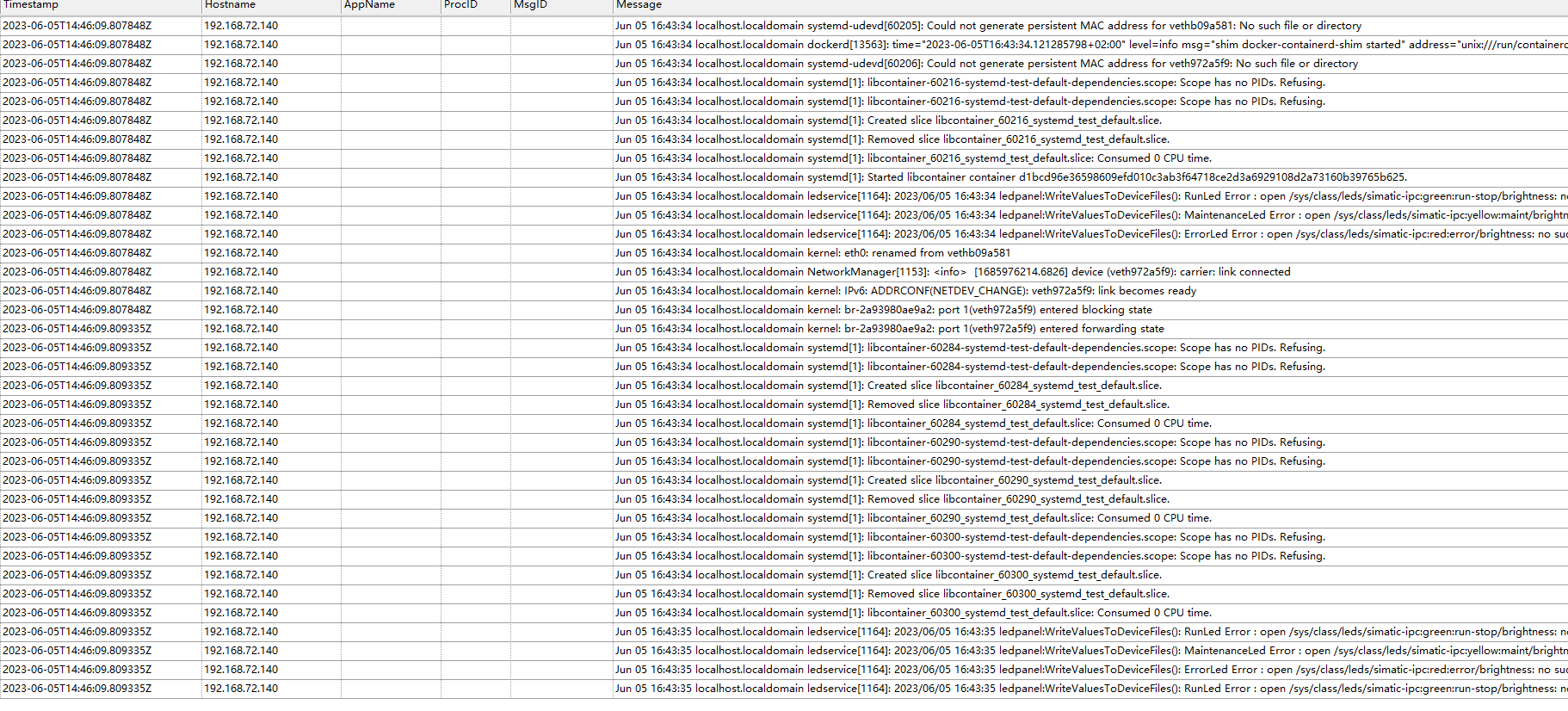
In this case, IED#1 uses Metrics Service to collect System log and sends to syslog deamon at server 192.168.72.141.

In the System log , the log message in field log ,
e.g.
{
  "log": "May 26 15:47:55 localhost.localdomain [edgejobservice][4811]: 1:47PM ERROR Unable to publish event :  {\"errors\":[{\"code\":\"auth.tokenExpired\",\"message\":\"Token expired\",\"errorCode\":401,\"field\":\"Jwt-Bearer\",\"logref\":\"4118050c-0cca-4dfa-94da-a836c7b2a912\",\"innerError\":\"\"}]} | source=processPublish.go:125",
  "date": 1685116075,
  "time": "2023-05-26T15:47:55Z",
  "ipAddr": "192.168.72.140",
  "deviceId": "9e68a1c87977476a8ddcce6522e1f2ca",
  "deviceName": "LK140V16X3",
  "originalTag": "9e68a1c87977476a8ddcce6522e1f2ca.System.log"
}
So, we can map log to syslog message field by configure the syslog_message_key, see more at syslog specs.
| Field | Value |
|---|---|
| host | 192.168.72.141 |
| port | 514 |
| syslog_message_key | log |
| syslog_facility_key | deviceId |
| syslog_hostname_key | ipAddr |
So, the data received from syslog side:
Http example
For the http filed description please visit http
Before configuring http destination, it is recommended to use web , e.g. curl or Postman to test it first .
The http is using http PUT method send metrics/log data, send a json payload data with content-type=application/json , the curl command look like this:
curl -X PUT "http://<HOST>:<PORT>/<URI>" --header "Content-Type: application/json" --data "{ \"a\" : 1 }"
| Type | Content-Type |
|---|---|
json |
application/json |
msgpack |
application/msgpack |
And check the response from the server. the http output destinaton would accept http status
  * - 200: OK
  * - 201: Created
  * - 202: Accepted
  * - 203: no authorative resp
  * - 204: No Content
  * - 205: Reset content
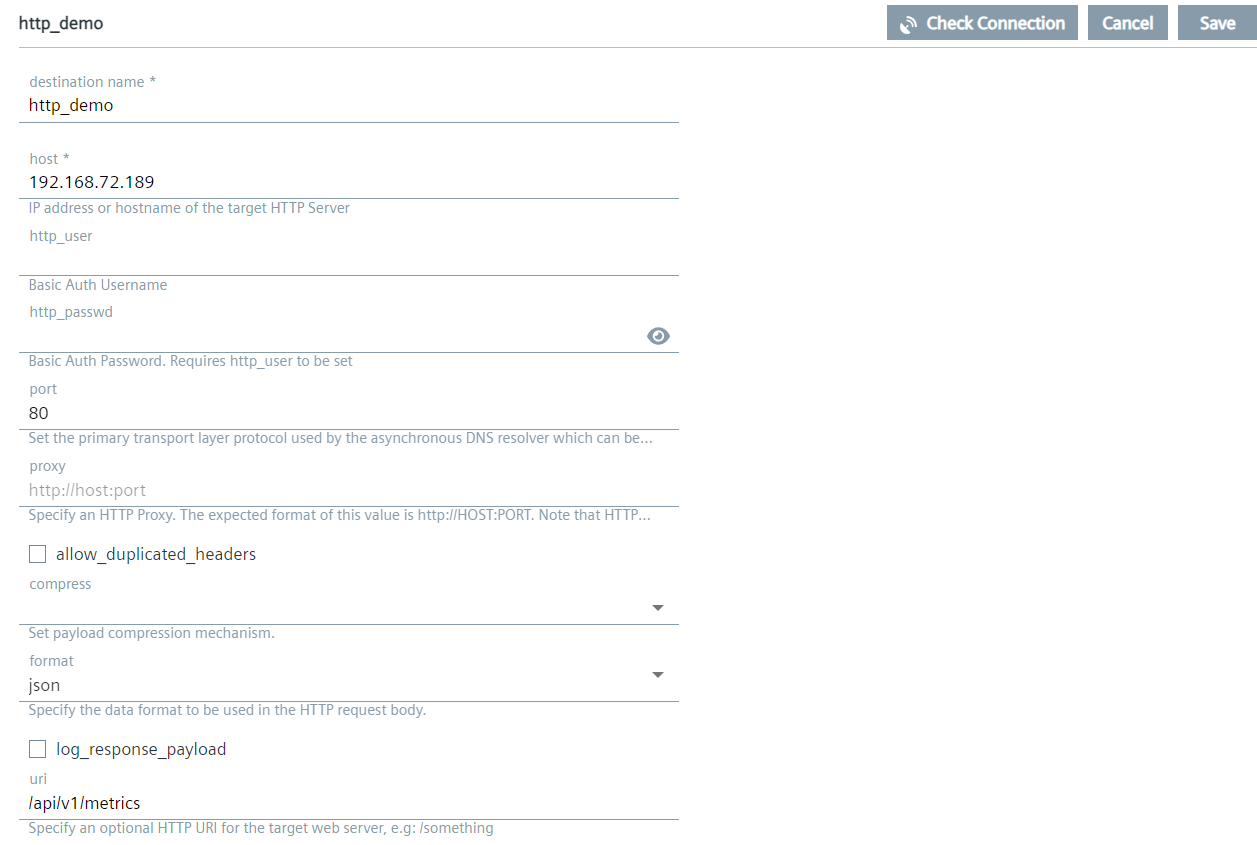
So, assume on the server 192.168.72.141 has a web service and open port 80 the uri /api/v1/metrics using for receive json format metrics/log data.
| Field | Value |
|---|---|
| host | 192.168.72.141 |
| port | 80 |
| uri | /api/v1/metrics |
| format | json |
Add header
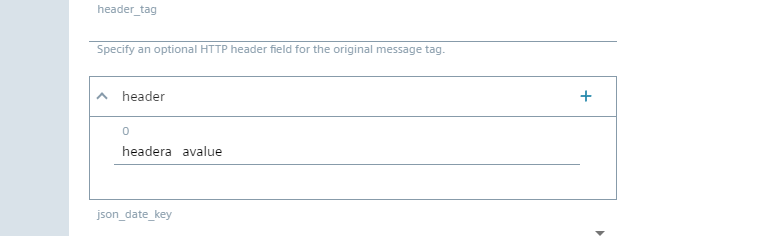
In header filed, click + on the right can add new line to add new header and value.
and the header and value should be split by a space .
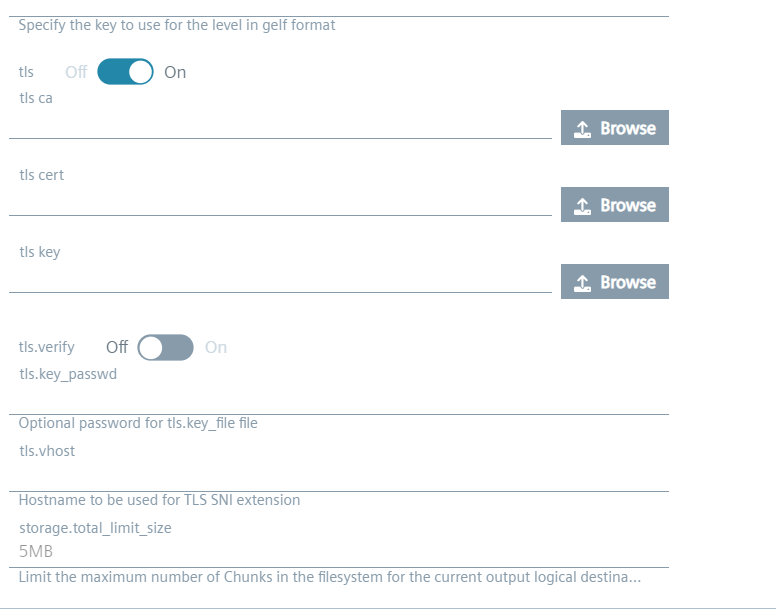
TLS ( One-way )
One-way TLS ( Transport Layer Security) means only client validates the server to ensure that it receives data from the intended server. That the server provides a private key and an X.509 certificate and on the client side only need to configure the CA (Certificate authority) certificate (used to validate server's certificate) or none, That is called one-way TLS. And the opposite of that is the client also has a private key and X.509 certficate and the server validates clients. It's two direction authentication, It's called Two way or Mutual TLS.
Just like the user using browser accesses a https web site, e.g. https://en.wikipedia.org/ , It's a typal one-way TLS. The browser (client side) only validates the web site is the really web it wants access. But the server doesn't care the clients.
But what ever one-way or two-way TLS, the data encryption is still used in both directions.
To send data to a TLS web server using One-way it should only check tls box ON.
| Field | Value |
|---|---|
| host | 192.168.72.141 |
| port | 443 , normally the https using port 443 |
| uri | /api/v1/metrics |
| format | json |
| tls | on |