Prometheus Support
IED supports the Prometheus exporter since IEDK version 1.12 so that the Prometheus server can retrieve metrics data.
Endpoint
Address:
https://<IED-IPADDRESS>/metrics
Example:
https://192.168.72.140/metrics
Authenciation
Prometheus servers need credentials to access IED Prometheus exporters. Currently, only basic authentication mechanisms are supported:
- Create a special configuration
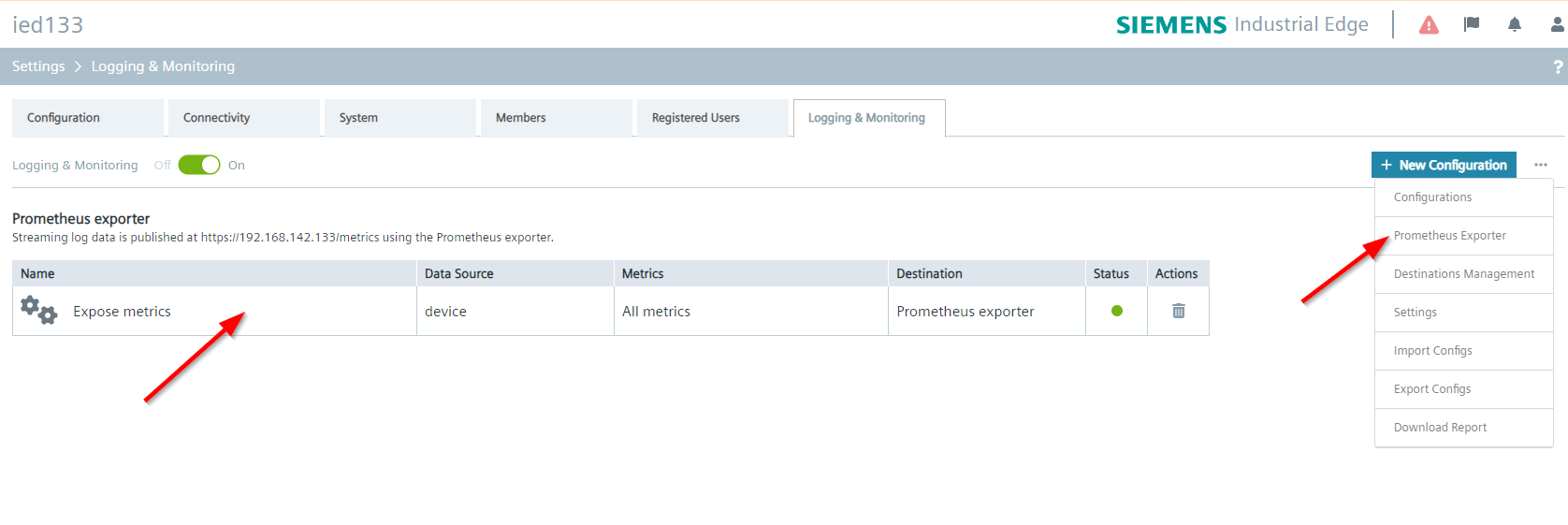
Prometheus Exporterin logging & monitoring - Configure prometheus username & password in
Prometheus Exporter.
NOTICE
Legacy IED account authentication will not be supported from IEDK version 1.21.x
Use Prometheus username and password
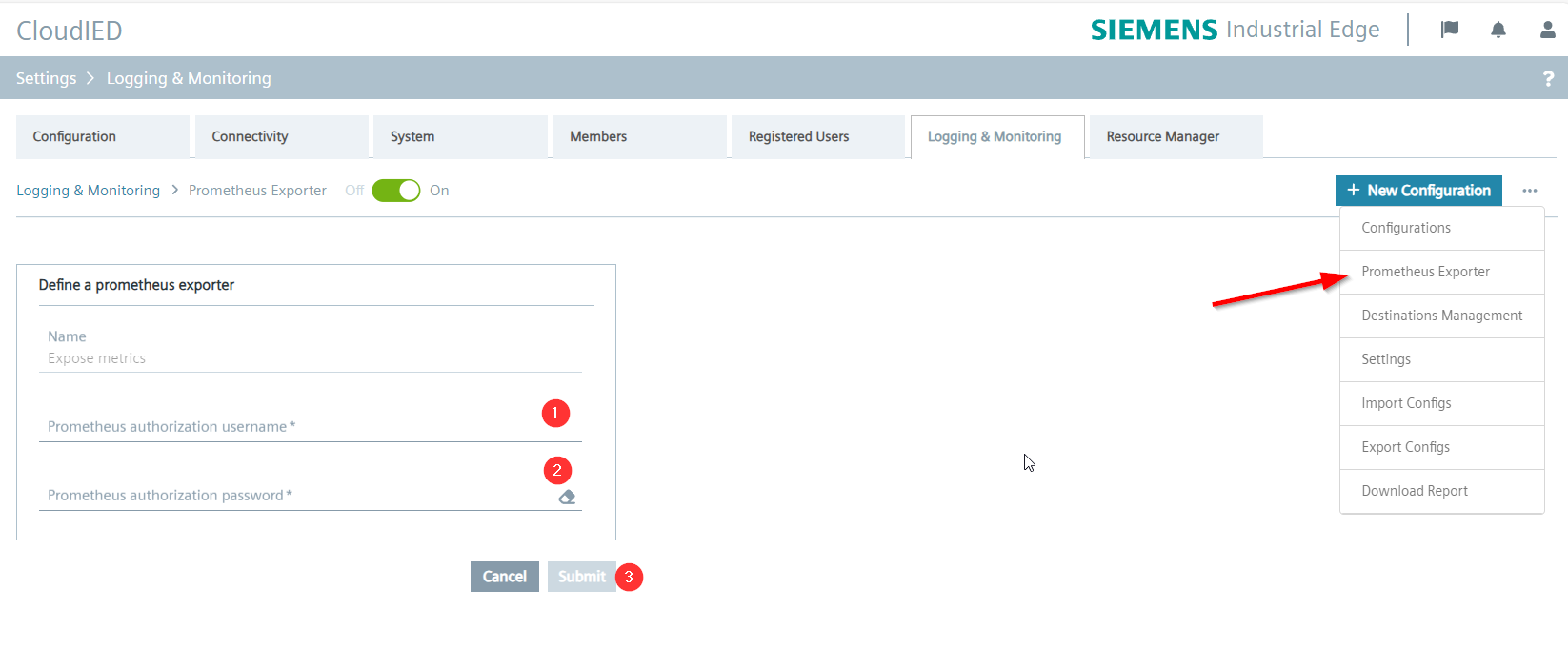
In Prometheus Exporter, users can set individual username and password for Prometheus basic authentication.
- Enter the prometheus username, e.g.
prometheus@myorg.com - Enter the prometheus password, e.g.
MyPassword1 - Click the
Submitbutton to save the change.
Prometheus configuration example
On the Prometheus server side, the config file should look like the following.
- job_name: "192.168.72.140-ssl"
  scheme: https
  basic_auth:
    username: prometheus@myorg.com
    password: MyPassword1
  tls_config:
    insecure_skip_verify: true
  static_configs:
    - targets: ["192.168.72.140:443"]
About cache
Logging & Monitoring service uses cache for high performance and password attack defense, see Credential stuffing for more information. The cache TTL is set to 10 minutes.