Settings
In the Settings screen you can download log files and decide which log types are written into the log files.

To download log files, click the Download Logs tile.
To decide which log types are written into the log files, click the Log Settings tile.
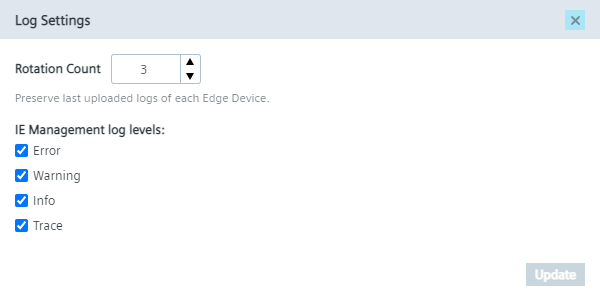
The Rotation Count setting manages the amount of log files of each Edge Device that are stored on the IEM.
The IEM only stores the amount of the latest log files that you have set in this setting, by default 3 log files are getting stored.
The rest will be removed automatically from the IEM.
You can decide which log types are written into the log files by selecting or deselecting the respective check box. To apply your changes, click Update.